Contents
Key Takeaways
Context switching is one of the biggest productivity killers for engineering teams, leading to slower delivery, more bugs, and mental fatigue.
Teams need fewer simultaneous priorities, with clear focus periods, stronger sprint discipline, and better backlog hygiene to reduce cognitive load.
Interruptions—meetings, Slack pings, unclear requirements—must be minimized, supported by intentional communication norms and protected deep-work time.
Documentation and standardized processes reduce dependency bottlenecks, preventing developers from repeatedly seeking clarifications.
Strong role clarity and skill-fit reduce thrash, ensuring developers work within their strengths rather than constantly shifting between mismatched tasks.
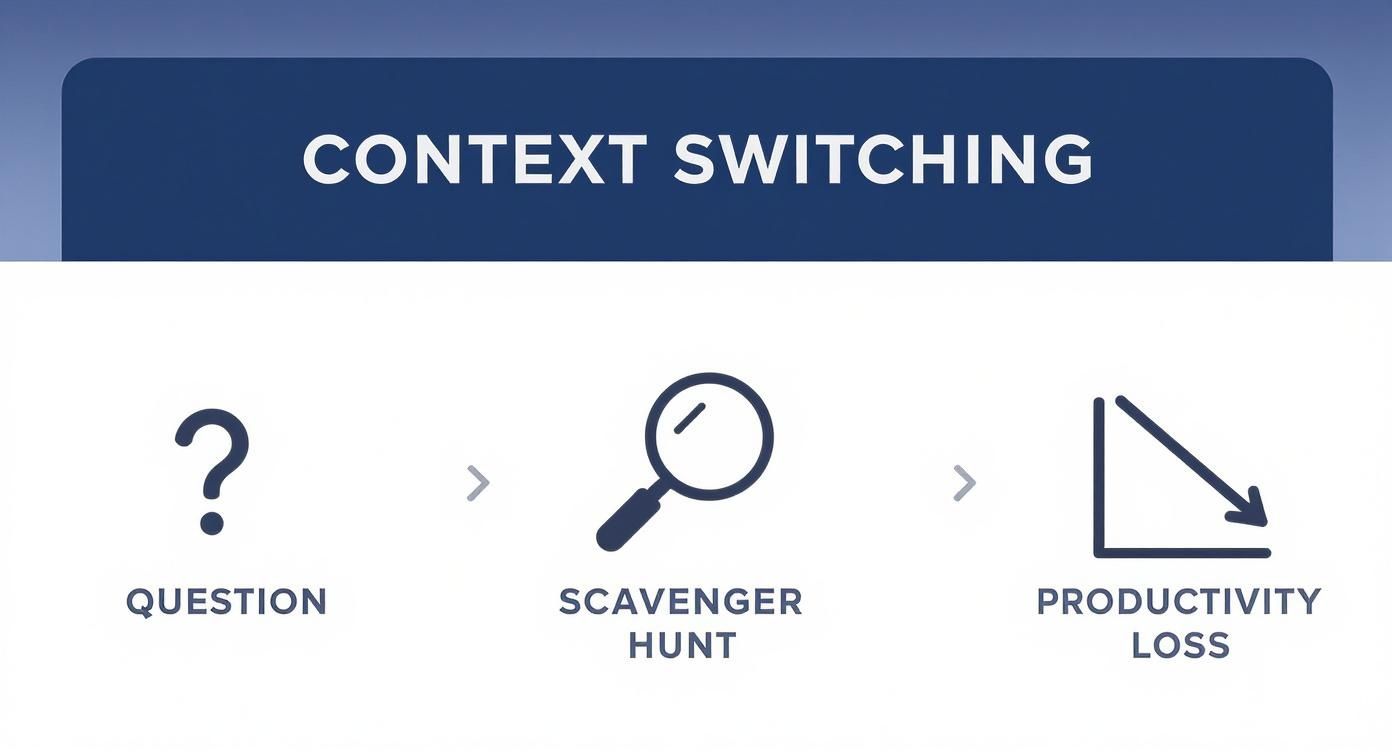
The problem is familiar. When someone asks “why did we build it this way?” or “where’s the auth logic?”, we waste 30+ minutes searching through tools. Senior devs spend half their day answering questions. New hires take 2 weeks to be productive because they can’t find context. You’ve tried batching meetings, reducing standups, even async updates, but the problem persists.
Based on our engineering background and insights from over 500 global tech interviews, we know this isn’t a calendar problem; it’s a system problem. The constant task-switching actively erodes your team’s output and is a symptom of deeper issues.
Here are seven proven techniques that actually work for dev teams to stop context switching for good and reclaim your team’s focus.
Seven proven techniques to reclaim your team’s focus
Theory is cheap. If you really want to kill context switching, you need practical, developer-centric strategies that get to the root of the problem. These aren’t generic time-management hacks. They are field-tested methods for systematically engineering a more focused work environment for your software team.
1. Tackle your biggest bottleneck first
Your team is probably drowning in interruptions from all sides—vague requirements, a clunky CI/CD pipeline, you name it. Trying to fix everything at once is a classic recipe for getting nothing done. Instead, find the single biggest bottleneck.
Is it the constant flood of questions from new hires? Maybe it’s the time black hole of debugging a flaky test suite? Get the team together and figure out that primary pain point.
Once you have a consensus, pour all your energy into crushing that one problem. Solving a major bottleneck usually creates a positive domino effect, making the next problem much easier to tackle. Only tackle one bottleneck at a time because solving one will affect the others.
2. Write code that is obvious
The absolute best way to cut down on code-related questions is to write code that doesn’t need a bunch of explanation in the first place. This isn’t about being clever; it’s about being painfully clear. Push your team to prioritize readability over brevity.
That means using descriptive variable and function names, sticking to a consistent style, and breaking down complex logic into small, single-responsibility functions.
When a developer can understand the what and the why just by reading the code, they don’t need to interrupt a senior engineer for a history lesson. This is a powerful cultural shift—from “write code that works” to “write code that is obvious.” It’s one of your strongest defenses against context switching.
3. Comment the non-obvious parts
While self-documenting code is the goal, some parts of any system will always be complex. This is where comments are critical, but they have to be used strategically, not as a crutch for bad code. The rule should be: comment the why, not the what.
A comment explaining i++ is just noise. But a comment explaining why a complex business rule demands a specific, non-intuitive algorithm? That’s gold.
Good comments provide the context the code can’t, like tricky architectural trade-offs or links to external documentation that explain a business decision.
4. Write documentation with questions from new hires
Every time a new hire asks a question, it’s a bright, flashing sign pointing to a gap in your documentation. Don’t just answer and move on. That’s a missed opportunity. Create a simple process to capture these moments.
Set up a shared document, a Wiki page, or a dedicated Slack channel. When a question is asked and answered, the person who gave the answer is responsible for adding it to this central knowledge base.
This simple habit transforms one-off interruptions into a self-improving onboarding resource, saving your senior devs countless hours down the road. This becomes invaluable, especially when you focus on what is skill-based hiring, as it allows highly skilled new hires to ramp up even faster.
5. Have focused coding sessions
When you are not chatting, people can figure out many things by themselves if they have no easy way to get answers by distracting others. Encourage focused, uninterrupted coding sessions where instant communication is temporarily paused.
This isn’t about isolation; it’s about fostering self-reliance and deep problem-solving skills. When developers know they have a dedicated block of time to work through a problem without interruptions, they are more likely to find the solution within the code or existing docs.
This practice reduces dependency on senior engineers for simple questions and builds a more resilient, autonomous team.
6. Protect days for deep work
Pick two or three days a week and declare them “deep work” days with no recurring meetings. This rule is especially helpful for tech leads who get pulled into random “weekly check-in” meetings. Cluster all necessary meetings onto the other two days.
As an engineering manager, review calendars and swat away meetings on protected days. If your tech leads can’t fit all their recurring meetings on one or two days a week, then it’s a sign of something to fix.
For asynchronous updates, don’t add another meeting. Look into tools for recording and transcribing meetings so people can catch up on their own time without shattering their focus.
7. Have a rotation for interrupts
Even with the best planning, urgent stuff will come up. To shield the majority of the team, set up a formal “interrupt rotation” to handle the daytime firedrills. This person is the first line of defense for critical bugs and random noise.
This is a separate rotation than pagerduty and is for daytime hours only. It lets the rest of the team stay heads-down.
This designated person pauses their project work to handle these interruptions, ensuring fires are handled without derailing the entire team’s focus.
2 Other bonus tips
Building a deep work culture is a marathon, but a few quick wins can build momentum. These two strategies are high-leverage changes you can implement this week to shift your team from a reactive to a proactive state. The core idea is to design systems that manage operational overhead so your leaders can focus on the human side of their job.
1. Create a “no-Slack-friday” rule
For one day a week, or even just a half-day, push all non-critical communication to be async via a shared doc or email. This small change forces everyone to pause and think more deeply before interrupting someone.
It also gives your leads a guaranteed block of uninterrupted time to actually plan, code, or mentor—the high-value work they were hired to do.
This isn’t about shutting down communication. It’s about making it deliberate instead of a constant stream of drive-by interruptions from tools like Slack.
2. Automate “status report” generation
The weekly project update is a huge drain. Instead of a manual effort, use your existing tools. For example, use a simple script or a no-code tool like Zapier or Make to pull recent GitHub commits and Jira ticket statuses.
Format them into a single summary that can be quickly reviewed by leadership.
This simple automation completely eliminates the manual data-gathering. Your leads go from being report compilers to strategic reviewers, freeing up hours of their time each week and killing a major source of recurring context switching.
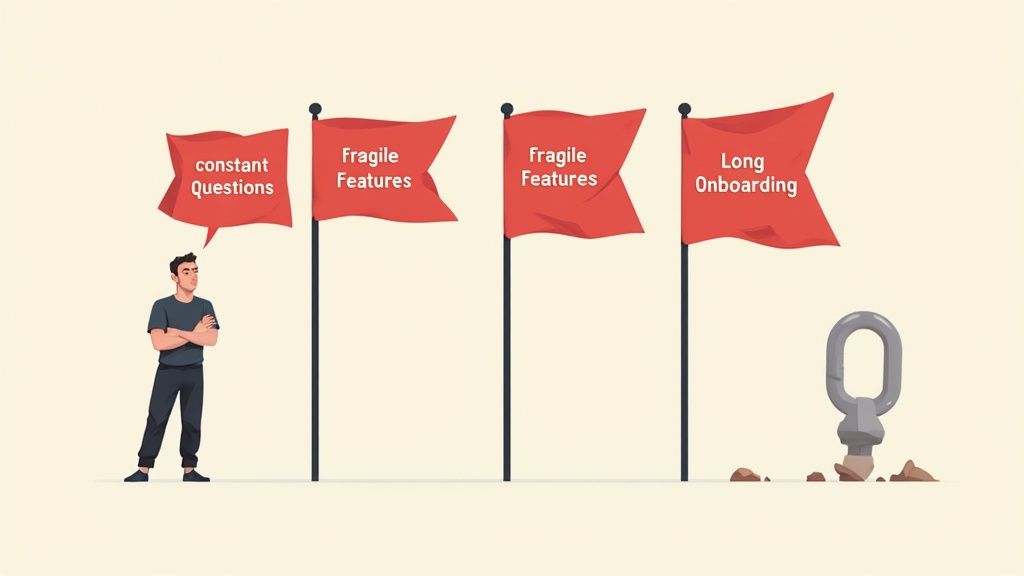
5 Red flags when developers need consistent hand-holding
The biggest productivity killers hide in your team’s day-to-day grind. If you’re seeing these signs, it’s a clear signal that your developers are spending more time juggling distractions than shipping code. This often points to a need for better systems or a re-evaluation of the skills on your team.
1. The constant stream of “quick questions”
A Slack channel buzzing with “quick questions” is a series of micro-interruptions. Research shows it takes an average of 23 minutes to regain concentration after a distraction. This constant drip means your documentation is failing or your team lacks autonomy.
2. New features consistently break old ones
Does every release feel like a game of whack-a-mole with regression bugs? This happens when developers don’t have the focused time to think through the downstream consequences of their changes. The result is a fragile codebase built on a foundation of interruptions.
3. Pull requests lack business context
A pull request should explain not just what changed, but why. When PR descriptions are thin, it forces the reviewer to context switch and hunt for business goals. This is a classic side effect of a chaotic, interruption-driven culture.
4. Painfully long onboarding times
If it takes weeks for a new engineer to become productive, your systems and knowledge are buried. This forces new hires to constantly interrupt senior team members, making onboarding an expensive disruption for the whole team.
5. Only one person can debug a critical system
If a critical part of your system can only be understood by one or two engineers, you’ve created a massive bottleneck and a single point of failure. This guarantees that expert will be constantly interrupted. Hiring engineers with proven skills in creating clear, maintainable systems is the best way to prevent these knowledge silos from forming.
Common mistakes to avoid when implementing these context switching techniques
Rolling out new processes to cut down on context switching is a delicate dance. To get it right, you need to sidestep a few common pitfalls that can quietly sabotage your best efforts.
Creating overly rigid no-interruption policies
The goal is deep work, not a silent fortress where critical communication goes to die. A “zero interruptions” policy can block genuinely urgent information or breed a culture where developers are scared to ask for help. Instead, create structured channels for interruptions, like the “interrupt rotation” model.
Investing in tools without an adoption strategy
A shiny new documentation tool isn’t a magic wand. Without team buy-in and a defined workflow, the new tool just becomes another unused subscription. Start with the process, get the team involved in choosing a solution, and lead by example.
Failing to protect the interrupt handler
The person on “interrupt rotation” is your team’s shield, but they can’t do their job if they’re also trying to code their own features. Their project tasks must be put on hold for their shift. This is the only way they can effectively triage issues without getting overwhelmed.
A 5-question checklist: are you doing the right things?
Use this quick checklist to gut-check your current processes. A “no” to any of these questions highlights a prime opportunity for improvement.
Is Our Documentation Centralized and Searchable? - Do new hires know exactly where to look for answers before asking a person?
Do We Have Designated “No Meeting” Days? - Is at least 40% of the week formally protected for deep, uninterrupted work?
Is There a Formal System for Handling Urgent Interruptions? - Does the whole team know who the designated “interrupt handler” is today?
Are Pull Request Descriptions Rich with Context? - Does the average PR explain the “why” behind the code, or just link to a ticket?
Is Our Hiring Process Optimized for Autonomy? - Does your technical skills assessment process validate a candidate’s ability to solve problems independently?
If you answered no to several of these, don’t worry. You now have a clear roadmap. Each “no” is a starting point for implementing the techniques discussed in this guide.
Frequently Asked Questions
How do you implement an "interrupt rotation" without burning out the designated person?
Our product managers need constant access to developers. How do we get their buy-in for protected days?
What's the most effective first step if we're doing none of this today?
How can we ensure documentation actually gets written and used?
Can hiring practices really reduce context switching?
Stop letting interruptions and misalignment slow your team down.
With Utkrusht, build teams that stay focused, move fast, and deliver consistently. Get started now and optimize your workflow.

Want to hire
the best talent
with proof
of skill?
Shortlist candidates with
strong proof of skill
in just 48 hours


